
Job Scheduling:
a print shop, organised digitally
A web application built from scratch for Milenium Media Print: the print shop’s entire production flow, from taking the order to delivery and automatically informing the client, in a single platform.
Note: the screenshots below use demo data; client names and team members have been replaced for confidentiality.
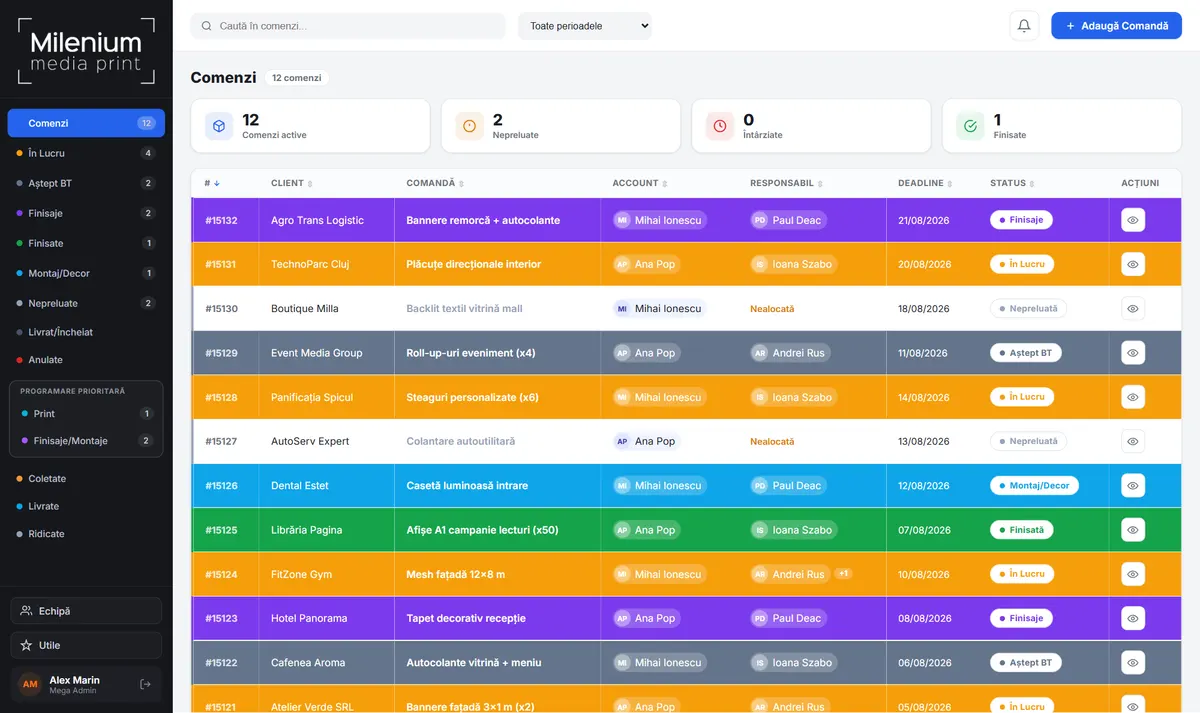
When production is tracked on notes and from memory
In a print shop, dozens of jobs pass daily through the hands of several people: design, print, finishing, installation, delivery. When records are kept on notes, in messages and in memory, delays appear, jobs are forgotten and clients call to ask “is it ready?”.
I built a dedicated web application, tailored exactly to the print shop’s production flow: every order has a client, an owner, deadlines, technical specifications, materials with square metre calculations and a clear status, visible to the whole team in real time.
The system runs on any standard hosting, is easy to administer and is protected by roles and permissions verified on the server: every team member sees and can change exactly what belongs to their work.
From the order
to the informed client
- The order enters the system: client, title, deadline, specifications and files attached by link.
- The team picks up the job: print and finishing owners see it instantly, with up-to-date priorities.
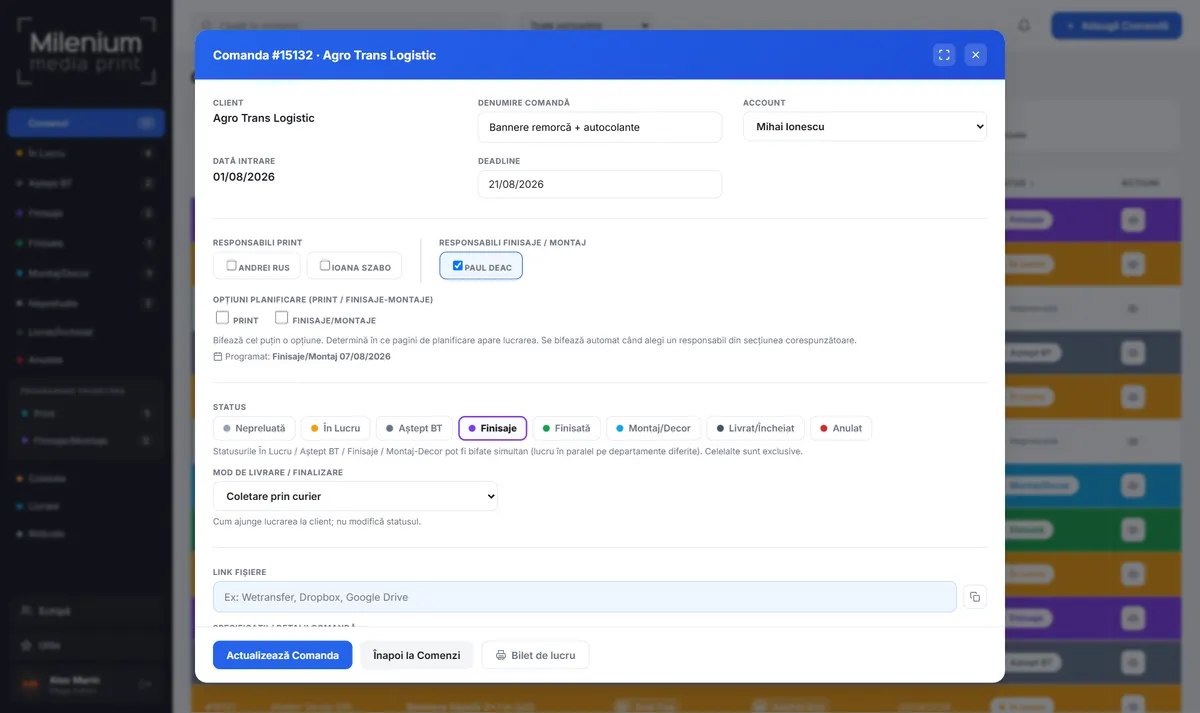
- Production advances through statuses: In progress, Awaiting approval, Finishing, Installation, with parallel work across departments.
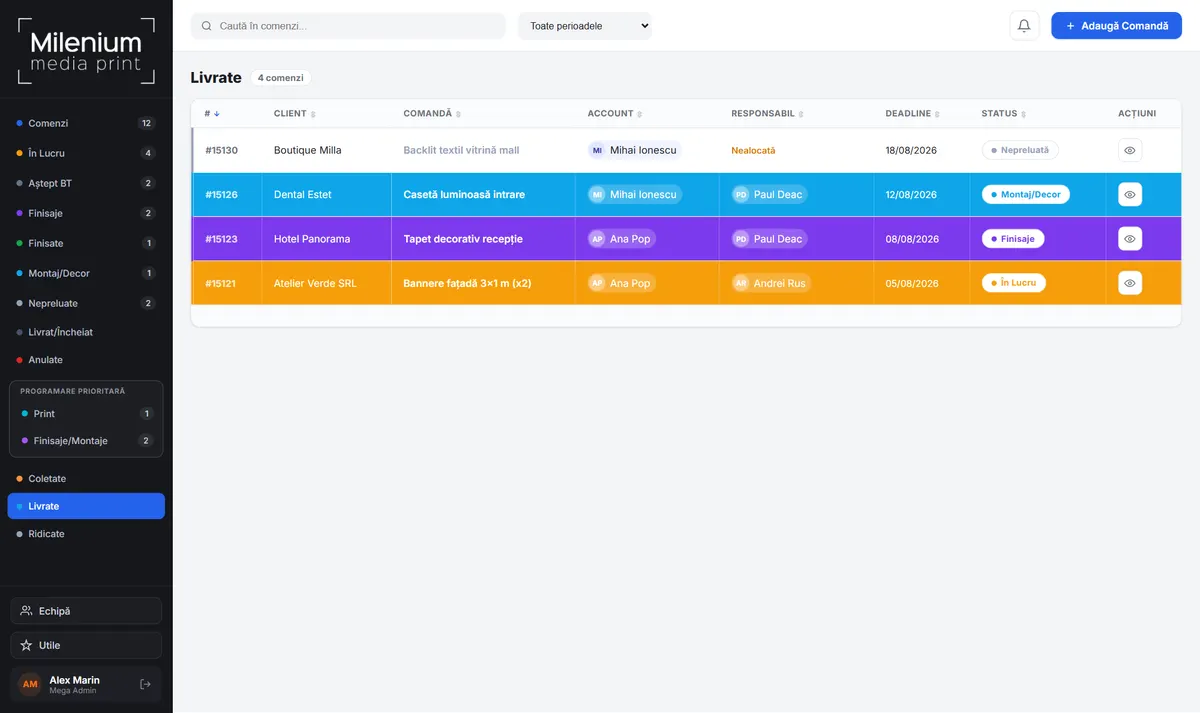
- Delivery gets scheduled: courier pickup, delivery to the address or collection by the client.
- The client is notified automatically: when the job is completed, the application sends an informing email, with no effort from the team.
Who does what today, set by drag and drop
In a print shop, the order matters as much as the job itself. The application offers two ways of setting priority for the same jobs: a ranked list and a day-by-day calendar.
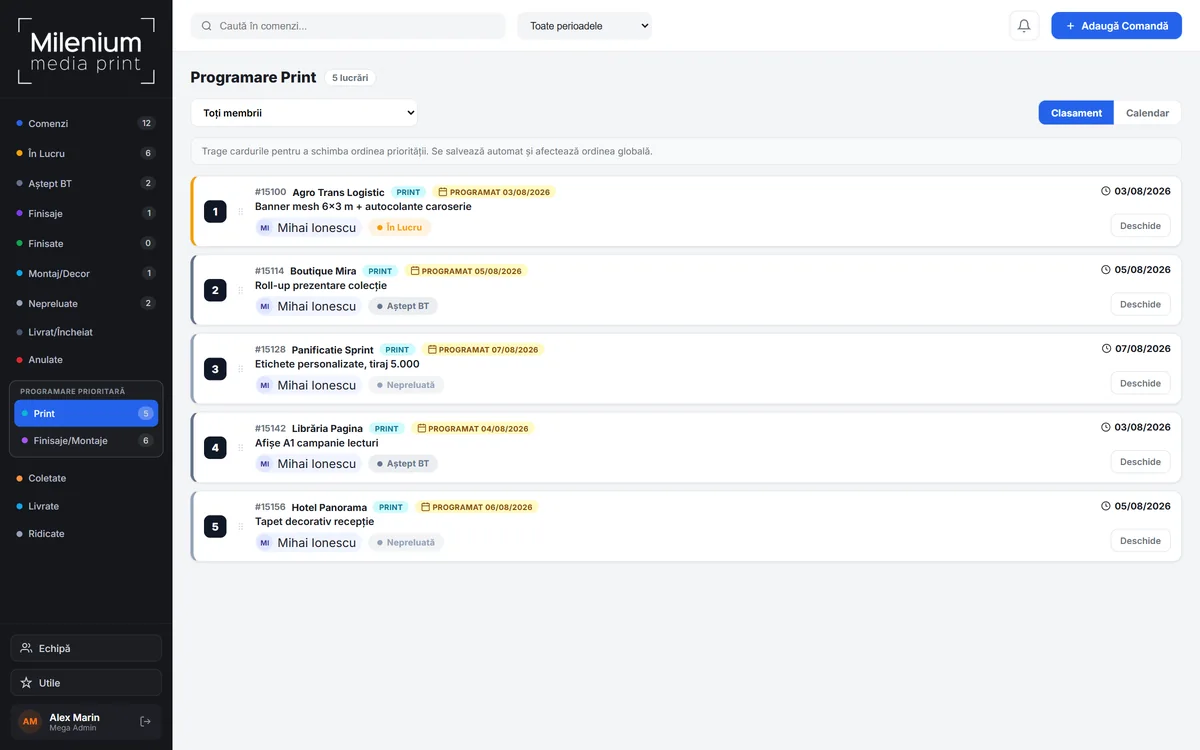
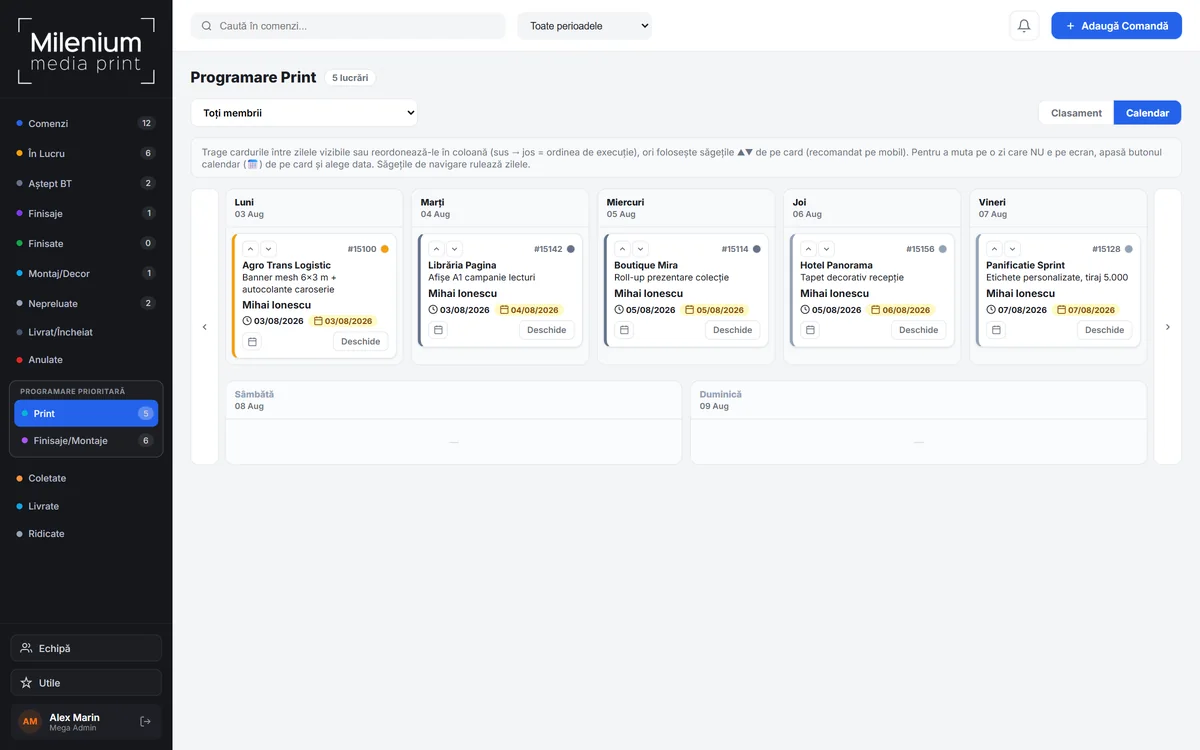
- Two separate lanes: Print and Finishing/Installation each have their own order, because they are departments working in parallel.
- Ranking by dragging: move the card, it saves automatically and the new order becomes immediately visible to the whole team.
- Day calendar: jobs are spread across the days of the week, and within a day, top to bottom is the order of execution.
- Filter by person: each owner can see only their own jobs, while the coordinator sees all of them.
- The deadline stays visible: the delivery date promised to the client appears on every card, so priority is never set detached from reality.
Everything production
needs, nothing more
- Order management across 8 production statuses, with parallel work per department
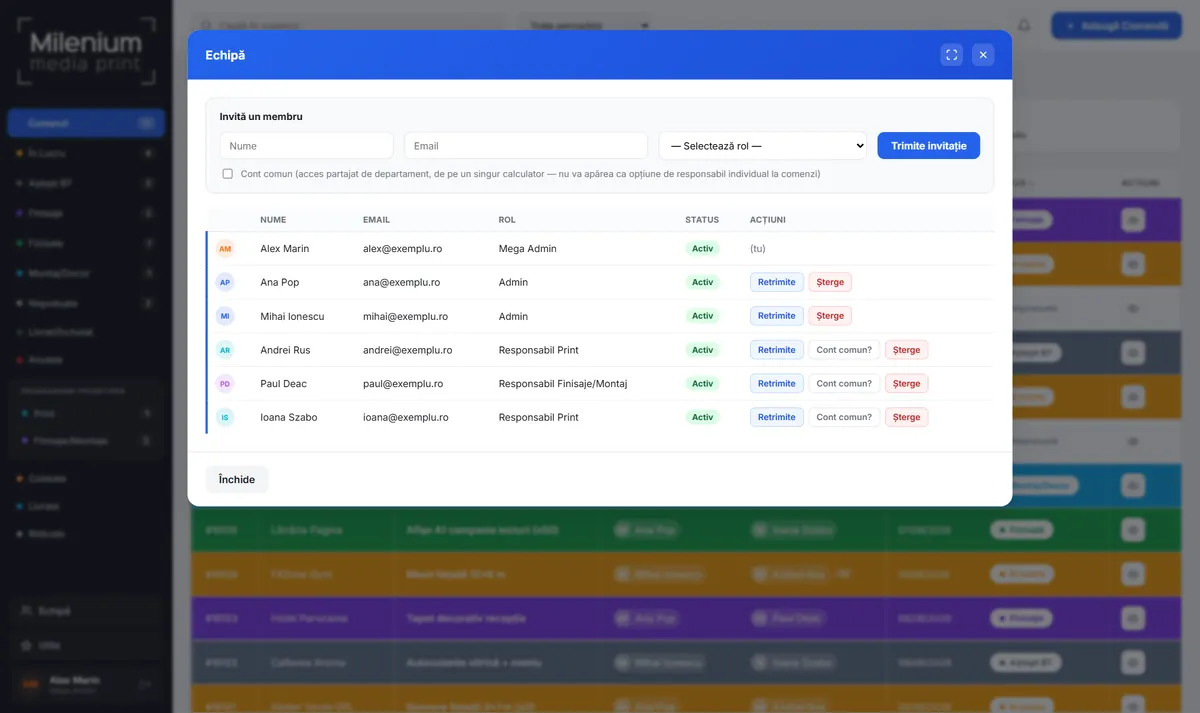
- Roles and permissions: Mega Admin, Admin, Print Owner, Finishing/Installation Owner
- Priority scheduling for print and finishing, with drag ordering and a calendar
- Technical specifications and materials with automatic net and gross square metre calculation
- Automatic emails to clients when a job is completed
- Internal notifications for assignments, status changes and rescheduling
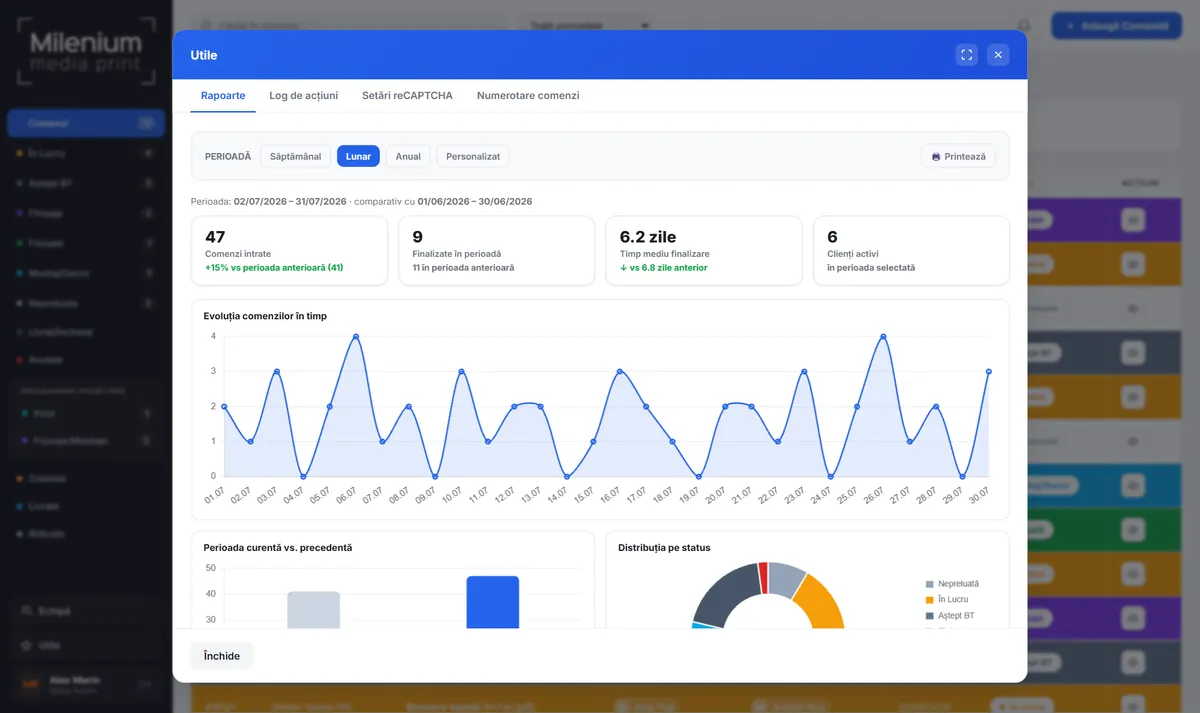
- Reports: order volume, completion times, top clients, material consumption
- Delivery records: packed, delivered to address, collected by client
- Team managed through email invitations, with secure account activation
- Printable work ticket for every order
- Complete action log: who changed what and when
- Security: hashed passwords, reCAPTCHA protection, permissions verified on the server
A look inside
Demo data: the client and team names are fictional.
What the print shop gains
A custom application is not measured in pages, but in hours gained and mistakes that stop happening.
Want a project like this?
Tell me what you need and we’ll build the next success story together.
Let’s talk →